


Monitor EIZO MX243W RADIFORCE 24.1" IPS 61Hz Black
Monitor EIZO MX243W RADIFORCE 24.1" IPS 61Hz Black is backordered and will ship as soon as it is back in stock.
ติดต่อฝ่ายแอดมินเพื่อสอบถามเรื่องสินค้า
☎️ 061-393-3443
Email: contact@speedcom.co.th
Line: @SpeedCom
หรือทัก Live Chat เพื่อให้แอดมินประสานงานให้
การรับประกัน
การรับประกัน
เปลี่ยนตัวใหม่ภายใน 7 วันนับจากวันที่ได้รับสินค้า เมื่อเข้าเงื่อนไข
1. รับประกันในกรณีที่สินค้ามีอาการชำรุดเกิดจากความผิดพลาดของตัวเครื่องอันเนื่องมาจากความผิดพลาดจากการผลิตเท่านั้น
2. การรับประกัน Dead Pixel 5 จุดขึ้นไป สำหรับสินค้าโน๊ตบุ๊ก,จอคอม
3. ร้านค้าจัดส่งสินค้าให้ไม่ตรงกับสินค้าที่สั่ง
สินค้าของแท้ รับประกันศูนย์: 5 Years Warranty
รายละเอียดเพิ่มเติม
การชำระเงิน
การชำระเงิน
การชำระเงิน
- โอนเงิน
- ชำระบัตรเครดิตเต็มจำนวน (รับบัตรเครดิตทุกธนาคาร)
การจัดส่ง
การจัดส่ง
การจัดส่ง
- ติดต่อเเอดมิน เพื่อสอบถามรายละเอียดวันส่งมอบของ
- จัดส่งถึงบ้าน หรือ รับสินค้าที่สาขาใกล้บ้าน
EIZO MX243W RADIFORCE 24.1" IPS 61Hz Black
EIZO MX243W
- Screen size: 24.1" 1920 x 1200
- Display type: IPS
- Refresh rate: 61Hz
- Response time: 11 ms
- Brightness: 220 cd/m2
- Contrast ratio: 1350:1
- Colors displayed: 1.07 Billion
- Technology: DICOM
- Connection ports: DisplayPort, DVI-D
- VESA compatible: 100 x 100 mm
- Power consumption: 56W
- Color: Black
- Dimensions (WxHxD): 405 x 406.5-506.5 x 205 mm
- Weight: 7.8 kg
- Warranty: 5 Years
EIZO MX243W RADIFORCE
Easy to use and easy to connect.
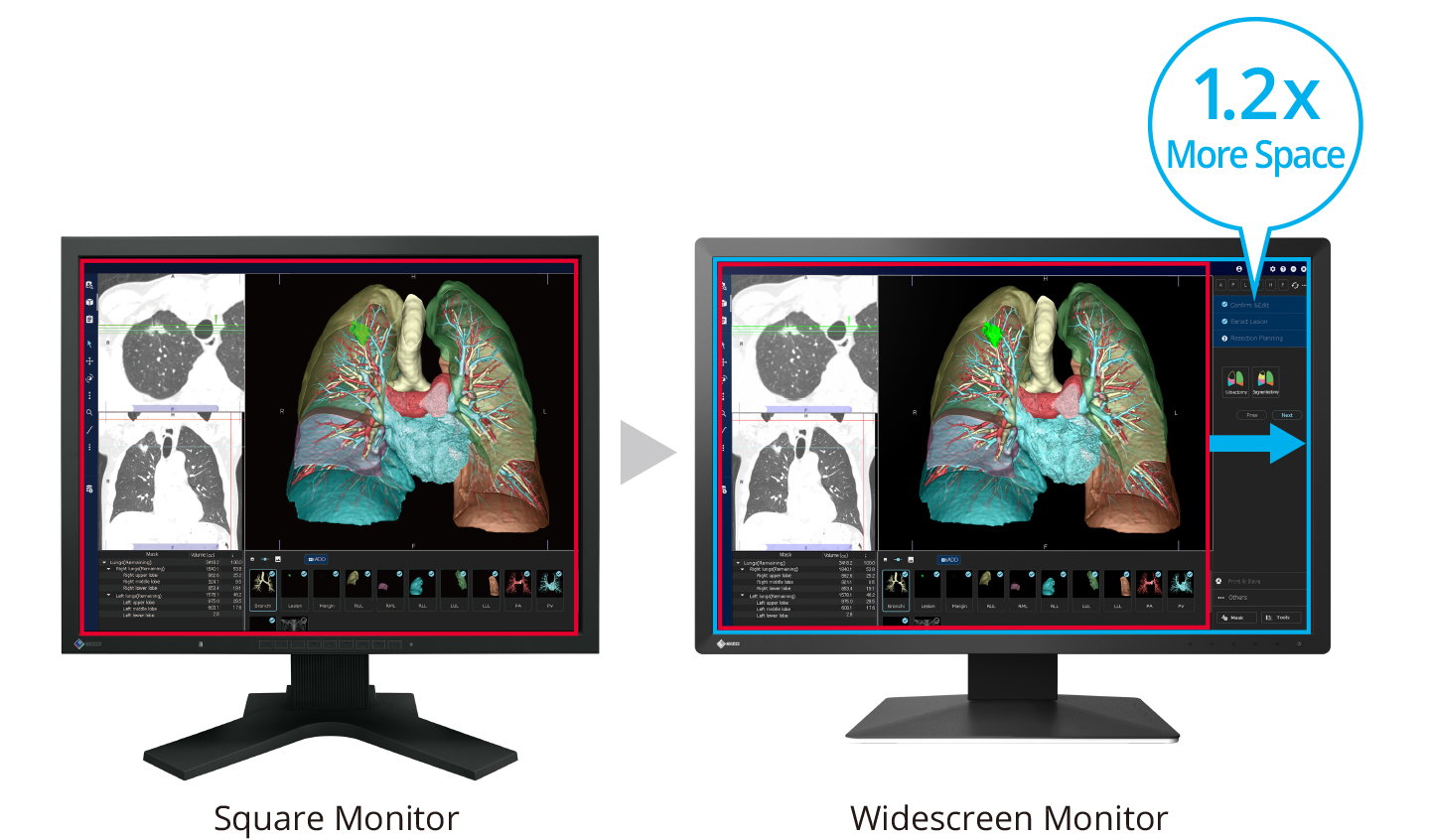
Enjoy more with a widescreen display.
This monitor has a resolution of 1920 x 1200 pixels and an aspect ratio of 16:10, providing more comfortable workspace for images, toolbars, and other windows than a typical square monitor.
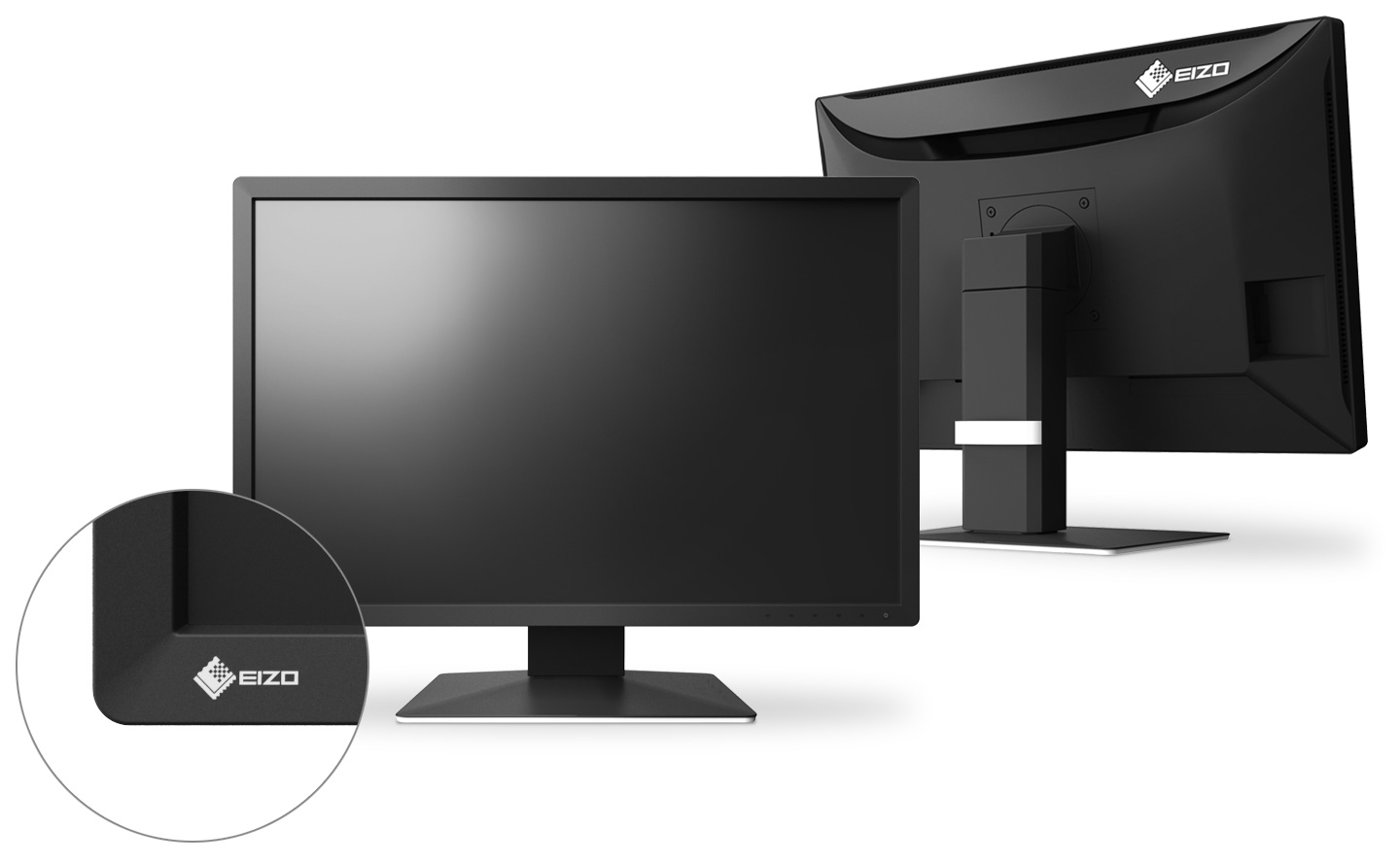
Luxurious cabinet design
The monitor cabinet is designed with rounded corners and elegant curves on the back, creating a gentle aesthetic and a comfortable environment for patients and medical personnel.
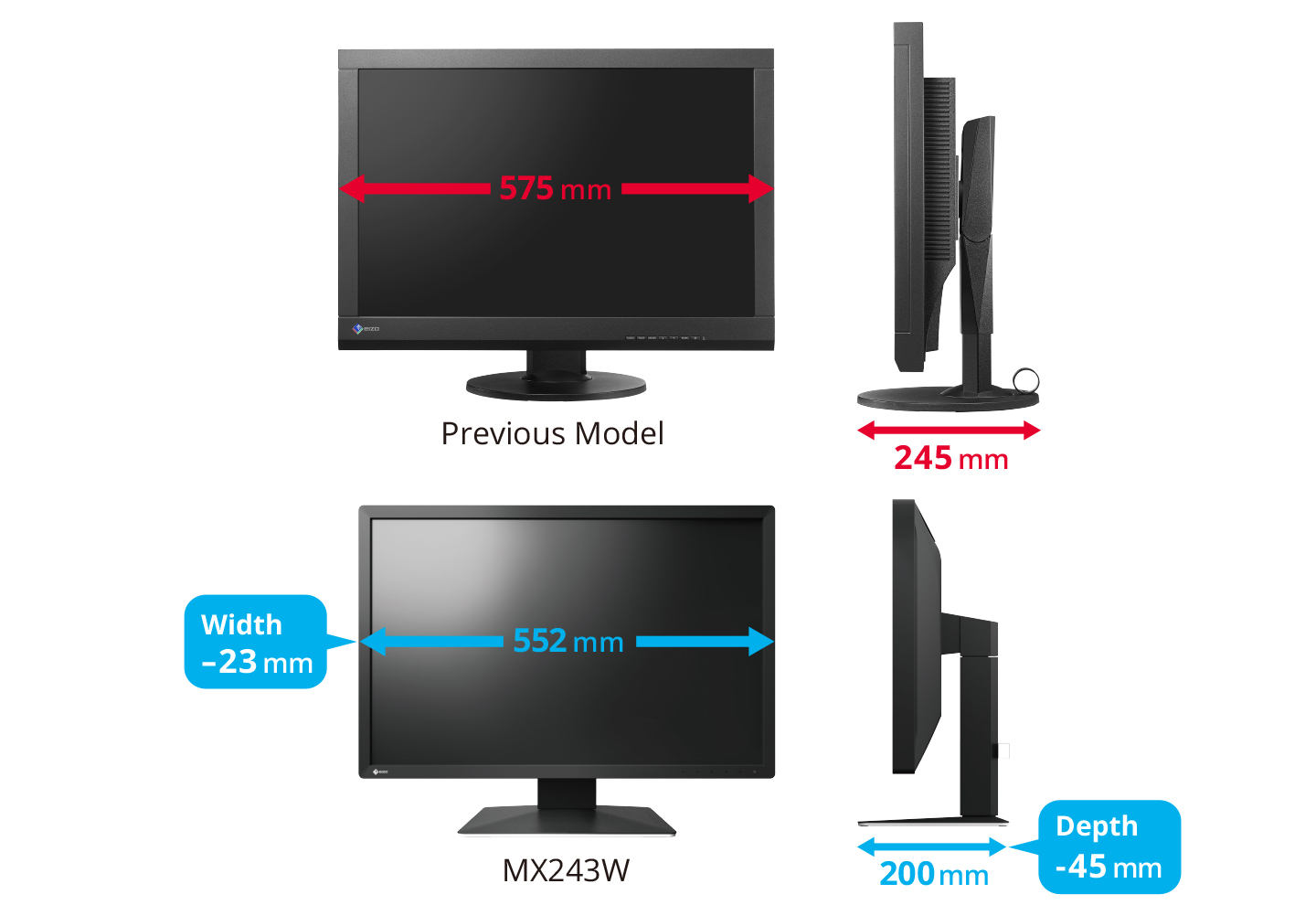
Save workspace with a modern kitchen cabinet design.
With a redesigned cabinet and stand, the monitor is 23mm and 45mm smaller, respectively, compared to its predecessor. This results in a 24% reduction in space, leaving you with more room for other tasks.
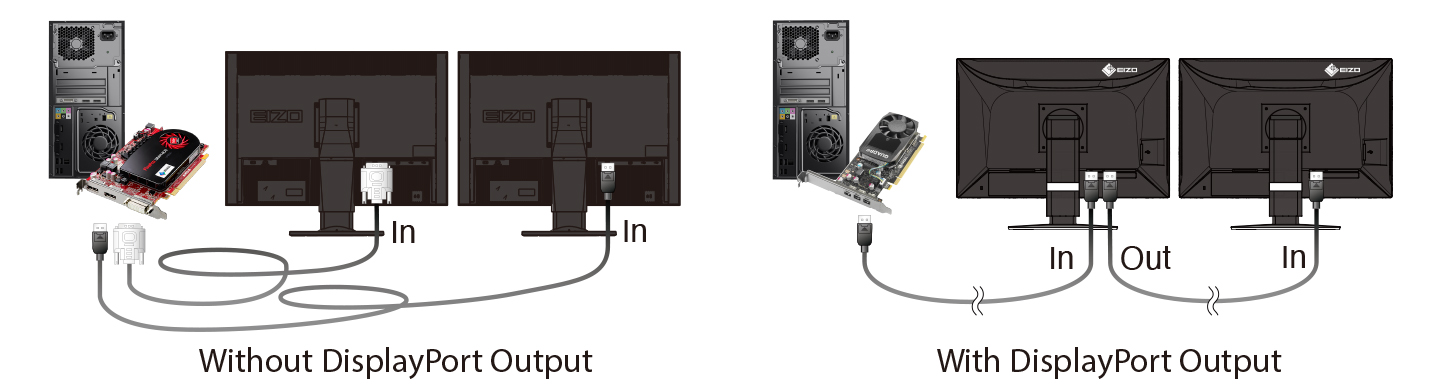
Setting up multiple monitors without a hitch.
With a DisplayPort connection, you can connect multiple monitors serially, allowing you to set up a multi-monitor system without the hassle of running numerous cables.
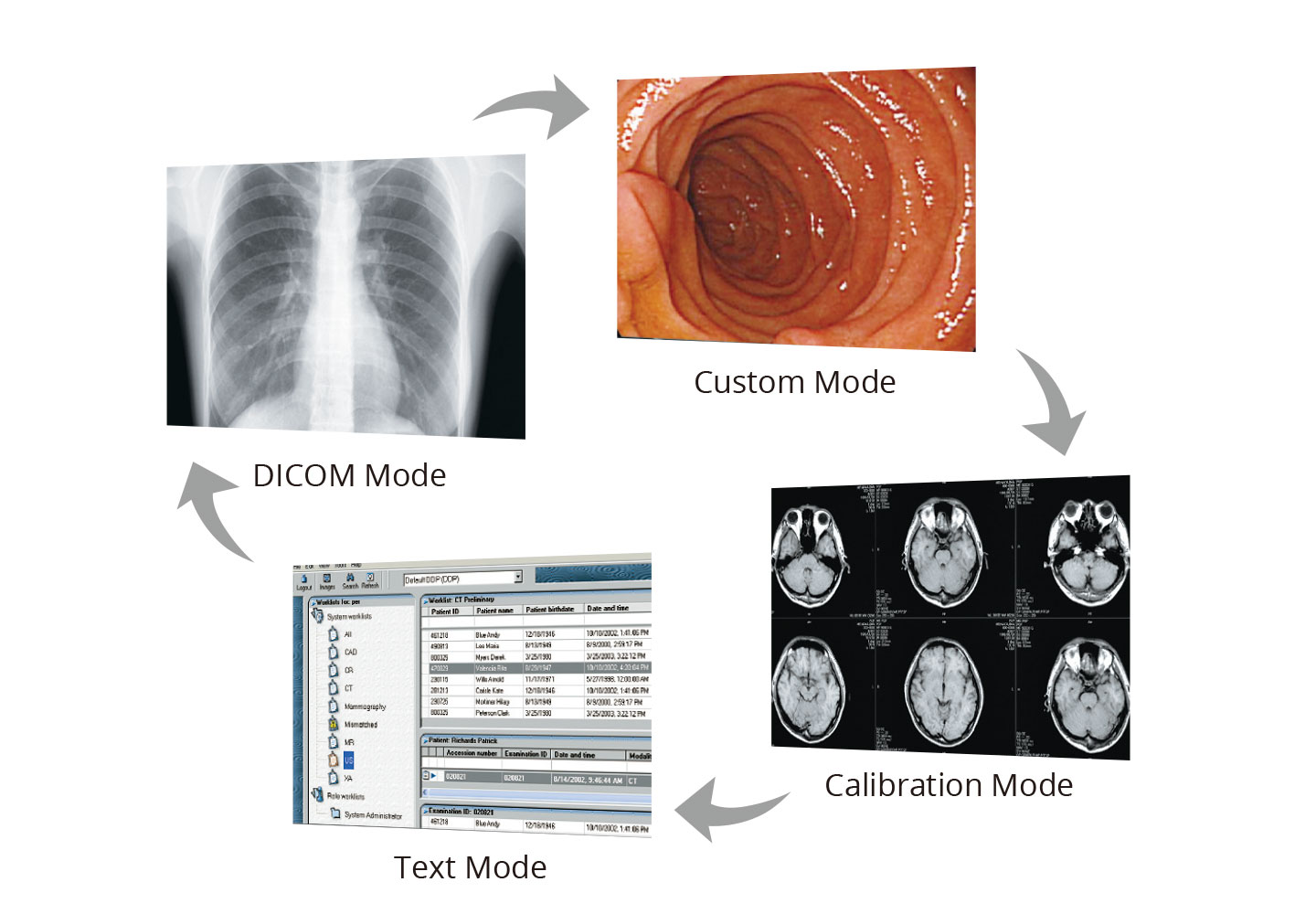
Choose the most suitable mode for the treatment method.
The CAL Switch function allows you to select different modes for various diagnostic methods such as CR, CT, and endoscopy. Using the included RadiCS LE software, you can set the mode to automatically switch to the optimal viewing condition.
High-definition images for your peace of mind.
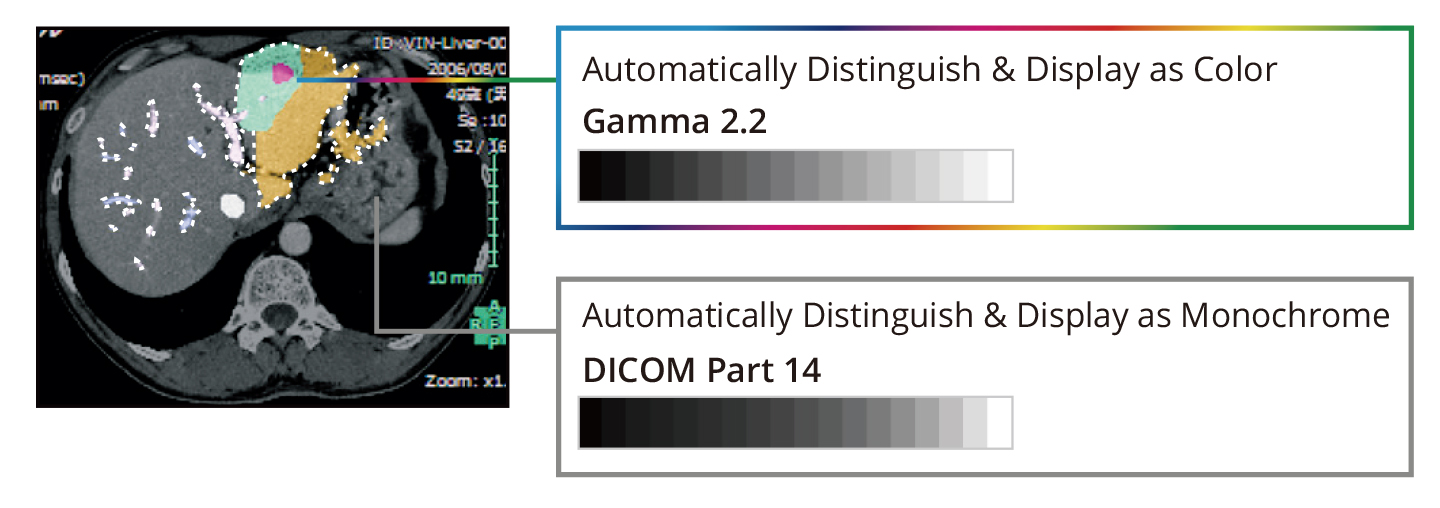
It can display results in both black and white and color.

The Hybrid Gamma PXL function automatically distinguishes between monochrome and color images pixel by pixel, creating a hybrid display where each pixel has the optimal grayscale level.
This results in monochrome images, such as CR and DR, displaying at appropriate grayscale levels according to DICOM Part 14 standards, while color images, such as those used in endoscopy, nuclear medicine, 3D rendering, and fusion imaging, are displayed correctly according to Gamma 2.2 standards. This improves the efficiency of viewing both monochrome and color images simultaneously on a single screen.
-
Brands
-
Warranty
