


Monitor EIZO ColorEdge 27 CG2700X 26.9" IPS 61Hz Black
Monitor EIZO ColorEdge 27 CG2700X 26.9" IPS 61Hz Black is backordered and will ship as soon as it is back in stock.
ติดต่อฝ่ายแอดมินเพื่อสอบถามเรื่องสินค้า
☎️ 061-393-3443
Email: contact@speedcom.co.th
Line: @SpeedCom
หรือทัก Live Chat เพื่อให้แอดมินประสานงานให้
การรับประกัน
การรับประกัน
เปลี่ยนตัวใหม่ภายใน 7 วันนับจากวันที่ได้รับสินค้า เมื่อเข้าเงื่อนไข
1. รับประกันในกรณีที่สินค้ามีอาการชำรุดเกิดจากความผิดพลาดของตัวเครื่องอันเนื่องมาจากความผิดพลาดจากการผลิตเท่านั้น
2. การรับประกัน Dead Pixel 5 จุดขึ้นไป สำหรับสินค้าโน๊ตบุ๊ก,จอคอม
3. ร้านค้าจัดส่งสินค้าให้ไม่ตรงกับสินค้าที่สั่ง
สินค้าของแท้ รับประกันศูนย์: 5 Years Warranty
รายละเอียดเพิ่มเติม
การชำระเงิน
การชำระเงิน
การชำระเงิน
- โอนเงิน
- ชำระบัตรเครดิตเต็มจำนวน (รับบัตรเครดิตทุกธนาคาร)
การจัดส่ง
การจัดส่ง
การจัดส่ง
- ติดต่อเเอดมิน เพื่อสอบถามรายละเอียดวันส่งมอบของ
- จัดส่งถึงบ้าน หรือ รับสินค้าที่สาขาใกล้บ้าน
EIZO ColorEdge 27 CG2700X 26.9" IPS 61Hz
EIZO COLOREDGE 27 CG2700X
- Screen size: 26.9" 3840 x 2160 4K
- Display type: IPS
- Refresh rate: 61Hz
- Response time: 13 ms
- Brightness: 500 cd/m2
- Contrast ratio: 1450:1
- Colors displayed: 1.07 Billion
- technology:
- Connectivity ports: USB Type-C (DisplayPort Alt Mode, HDCP 2.3), DisplayPort (HDCP 2.3), HDMI (Deep Color, HDCP 2.3)
- Built-in speaker: -
- Mechanical design: Height adjustment range 155 mm, tilt 35° up, 5° down, swivel 344°, pivot 90°.
- VESA compatible: 100 x 100 mm
- Power consumption: 225W
- Color: Black
- Dimensions (WxHxD): 638 x 415.9 - 570.9 x 245
- Weight: 9.8 kg
- Warranty: 5 Years
EIZO COLOREDGE 27 CG2700X
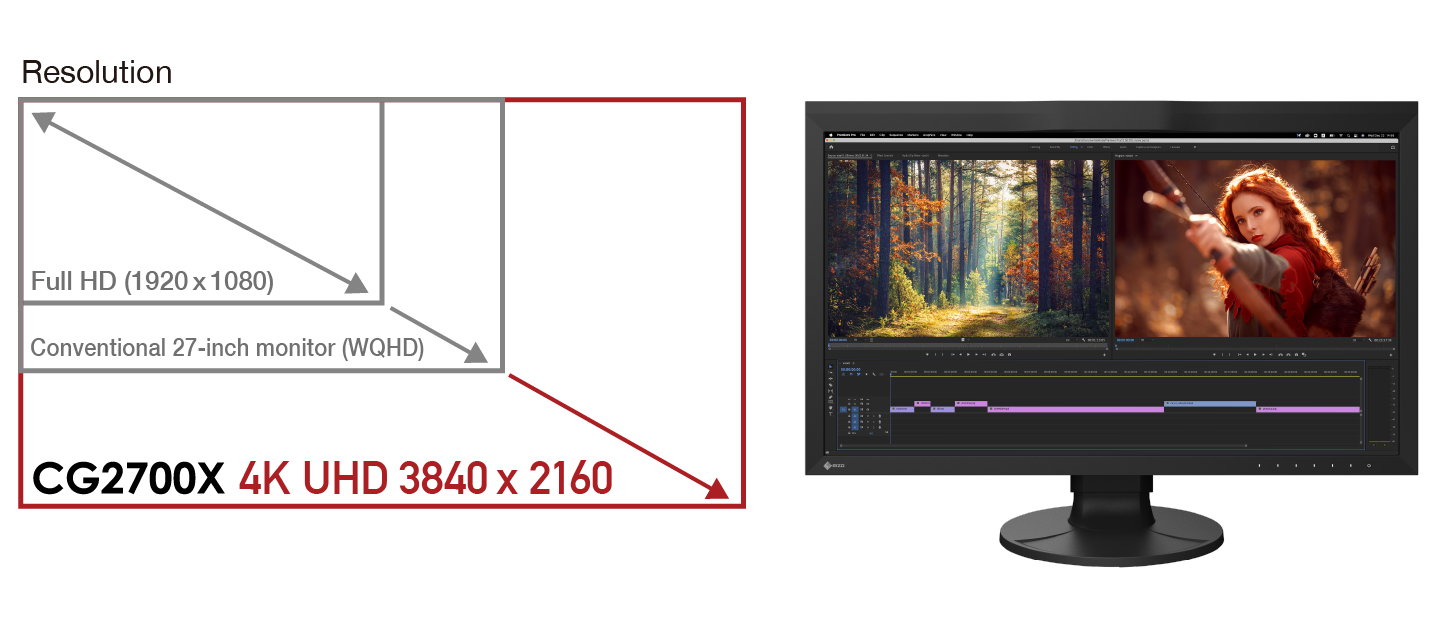
4K UHD resolution
The ColorEdge CG2700X monitor displays at 4K UHD resolution (3840 x 2160 pixels), four times larger than Full HD. This outstanding detail ensures crisp display of high-resolution content. The 27-inch screen provides ample space for displaying 4K or Full HD content in its entirety, with plenty of room for toolbars, palettes, control panels, and other windows or applications. This makes the monitor versatile for video editing, 3DCG creation, game development, photography, and other creative fields.
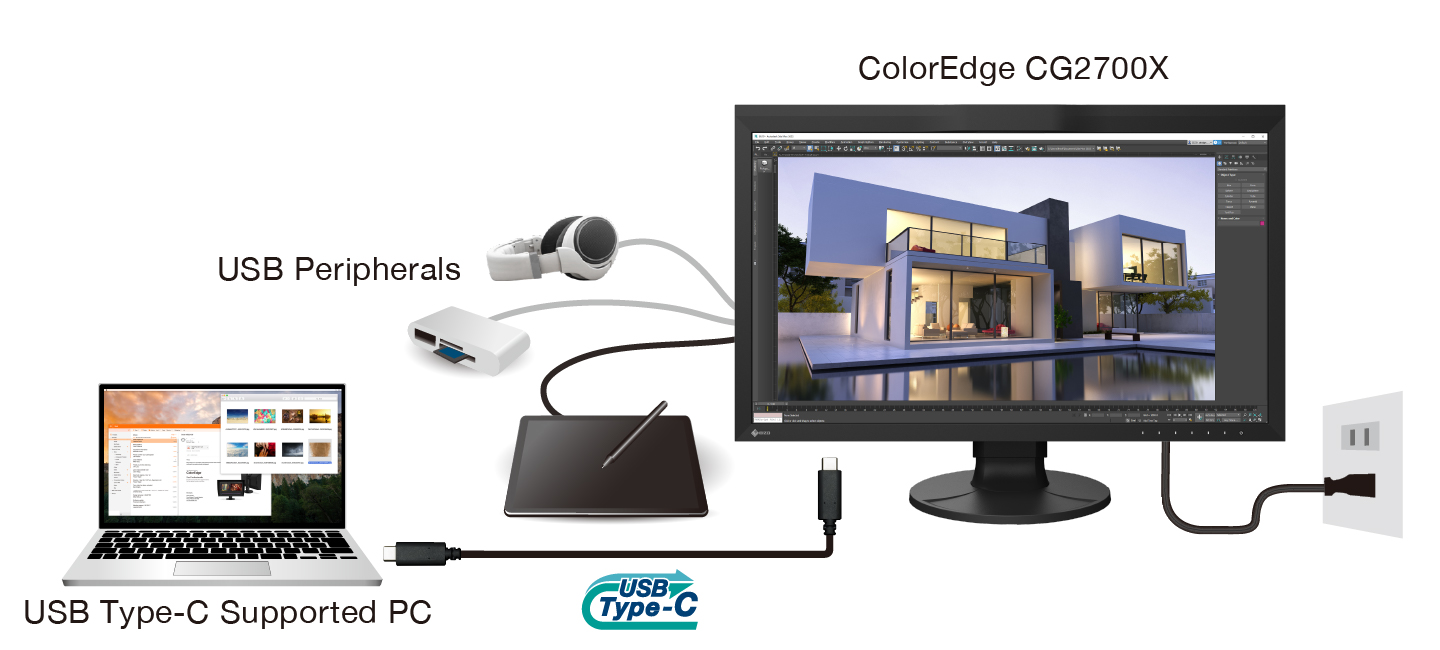
Connecting with a single cable via USB Type-C.
The ColorEdge CG2700X monitor comes with a USB Type-C port, allowing you to display video, transmit USB signals, and power connected devices such as tablets or notebook PCs. This convenient, versatile connection makes switching between workstations quick and easy when working remotely.
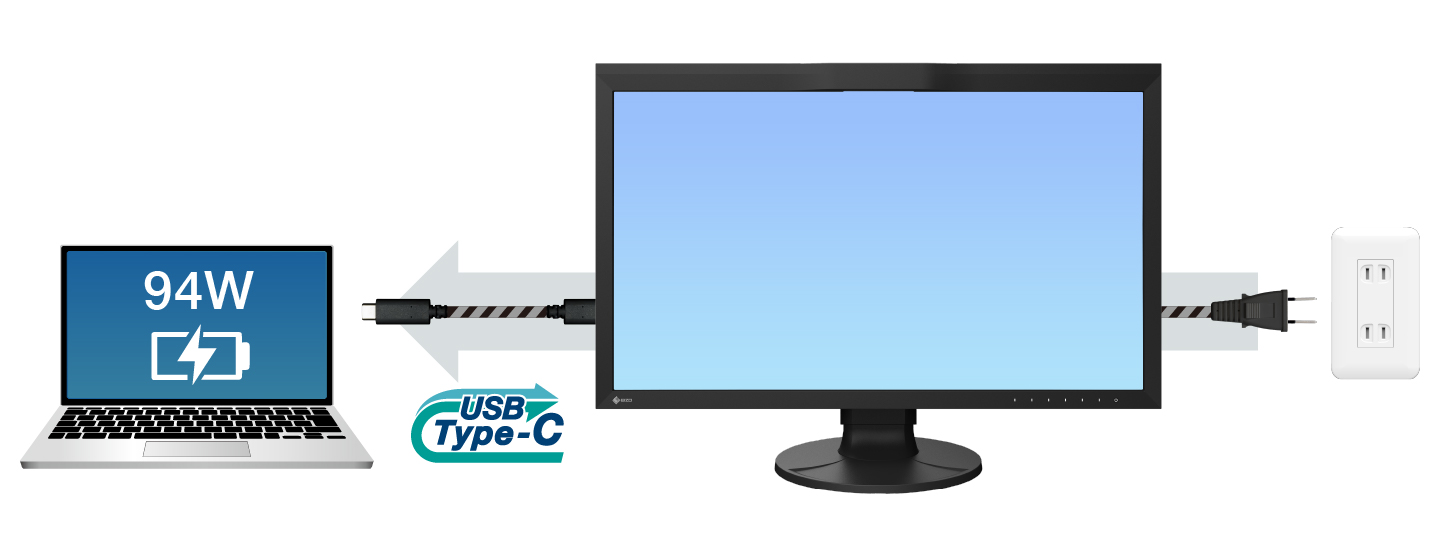
Power transmission
The ColorEdge CG2700X charging dock can stably charge a MacBook Pro or other high-end laptops with 94 watts of power, eliminating the need for a large laptop power supply unit, saving space in your bag and on your desk.
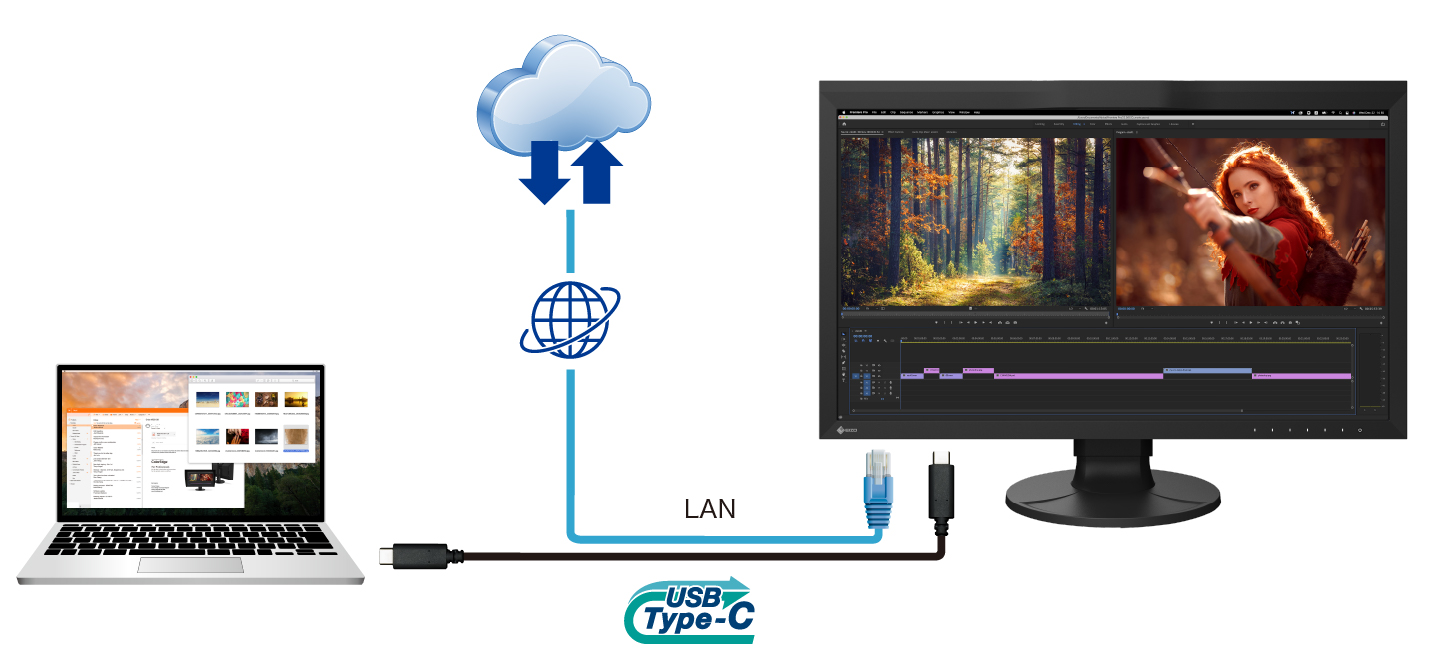
Stable network connection
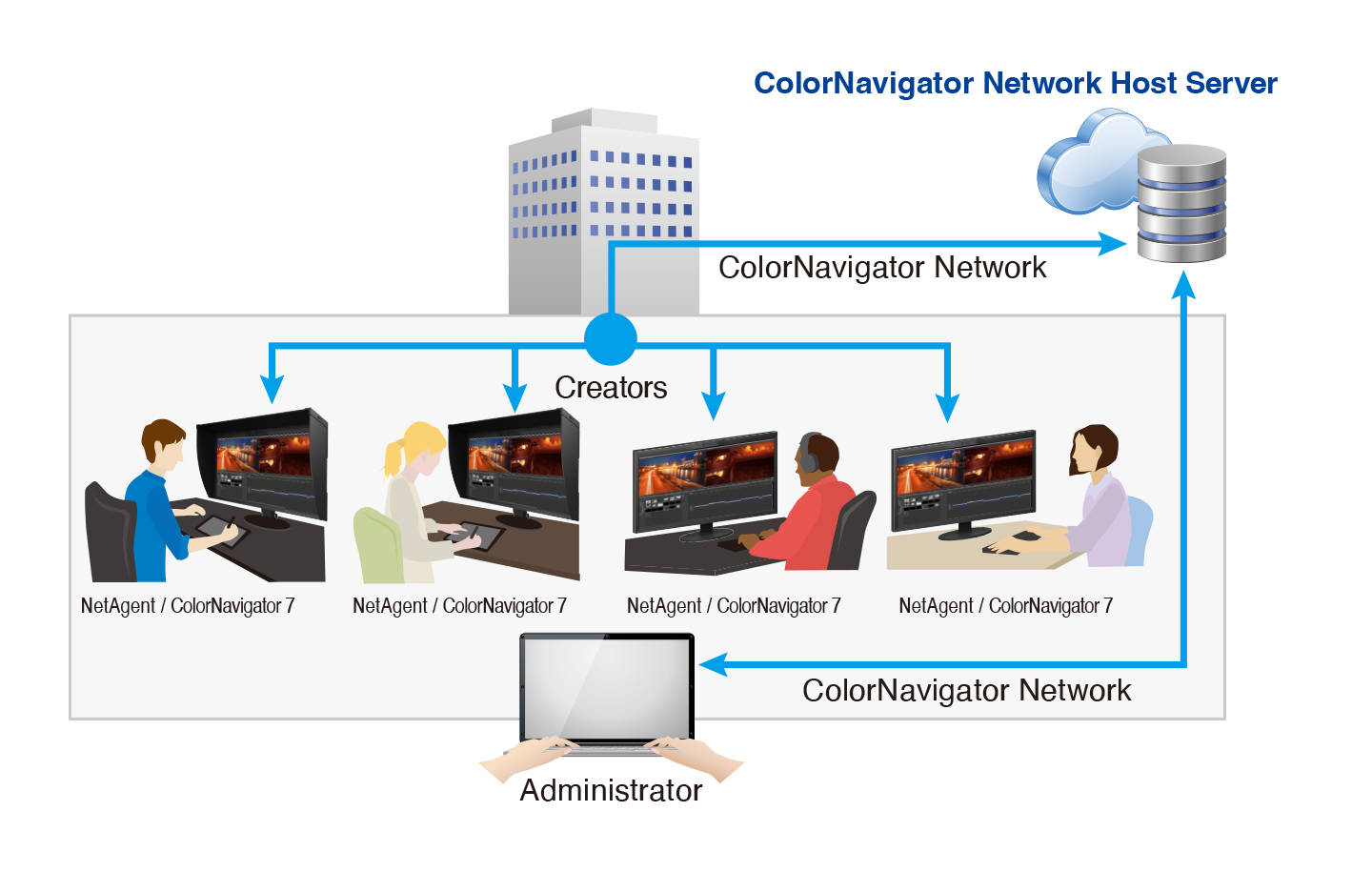
While many newer laptops lack a dedicated LAN port, this monitor features a built-in LAN port for stable wired connectivity. Connecting a laptop via USB Type-C allows network access through the monitor for sharing files and content for creative work, remote post-production, and enables network color management with ColorNavigator Network.
The EIZO MAC Address Clone Utility software temporarily assigns the MAC address of the connected PC to the monitor, allowing network access only to authorized devices and preventing unauthorized network access.
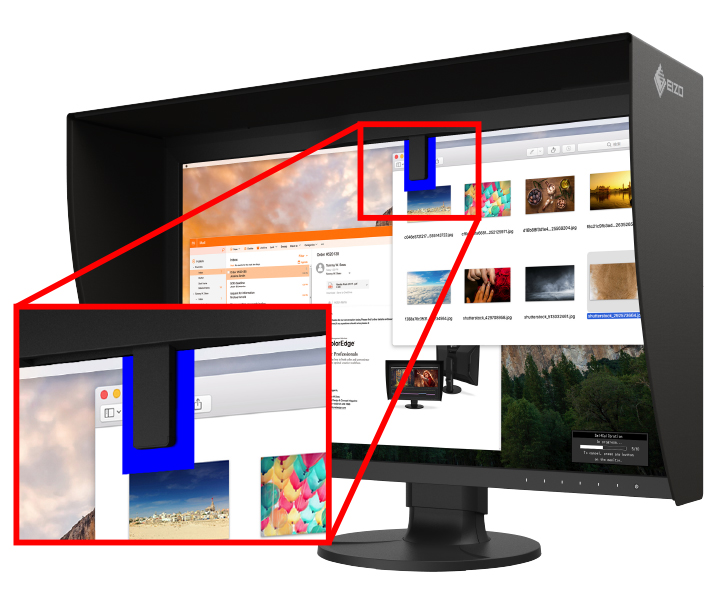
Built-in sensors to help automate your workflow.
ColorEdge was the world's first monitor with a built-in color calibration sensor for applications requiring high color accuracy. The ColorEdge CG2700X's built-in sensor can be programmed to automatically calibrate the monitor's colors at scheduled times, eliminating the need for external color calibration equipment and ensuring your screen maintains consistent color accuracy. Furthermore, the sensor can be folded down onto the monitor, taking up minimal space and allowing you to continue working even during color calibration.
ColorNavigator network color management software.
ColorNavigator Network provides centralized quality control (QC) for ColorEdge displays for studios, print houses, and other organizations where multiple creators and editors collaborate on the same project. With NetAgent or ColorNavigator 7 installed on workstations, administrators can manage multiple ColorEdge displays via a web browser, enabling remote quality control. Hosted on a secure cloud server, ColorNavigator Network eliminates the initial investment and operating costs of providing your own server.
-
Brands
-
Warranty
